
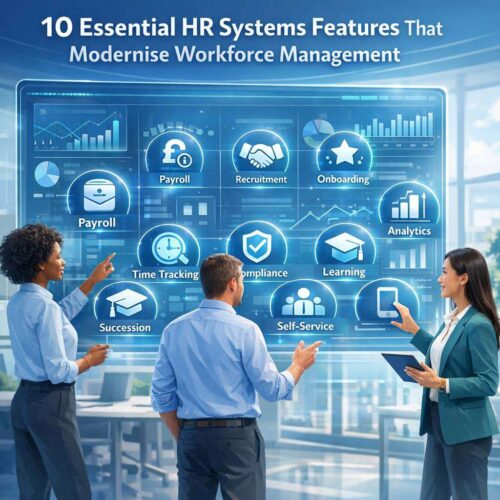
In today’s fast-paced business environment, organisations increasingly rely on robust HR systems to streamline processes, improve accuracy, and empower managers and employees alike. An effective HR platform goes beyond payroll and record-keeping; it becomes a strategic partner that supports talent acquisition, development, performance, and engagement. This article explores ten essential features that modernise workforce management and help organisations thrive in a competitive landscape.
As more organisations shift to online and hybrid work models, HR systems—often referred to as HR online solutions or Online HR management platforms—play a pivotal role in delivering real-time insights, enhancing collaboration, and ensuring compliance. The right system integrates data from across the workforce, offers intuitive self-service capabilities, and scales with organisational growth. Below, we outline key functionalities that every modern HR system should provide to maximise efficiency and strategic impact.
Employee Data and Records ManagementA modern HR system should serve as a single source of truth for employee records, with secure storage, version control, and auditable history. Features include customisable fields, document management, and automated workflows for onboarding, offboarding, and change requests. The ability to access accurate data quickly reduces administrative burden and supports informed decision-making.
Recruitment and Onboarding ExcellenceFrom applicant tracking to seamless onboarding, contemporary HR systems streamline recruitment processes and improve candidate experiences. Integrated candidate pipelines, interview scheduling, and automated communications help expedite hiring while maintaining compliance. Onboarding capabilities should guide new hires through essential tasks, orientation, and role-specific training, accelerating time-to-productivity.
Time, Absence, and Leave ManagementAccurate timekeeping, leave requests, and absence tracking are fundamental to workforce operations. Modern systems automate approvals, classifying leave types, accrual calculations, and sickness absence management in line with local regulations. Self-service portals enable employees to view balances, request time off, and receive instant confirmations, reducing pressure on HR teams.
Payroll Integration and ComplianceA seamless link between HR data and payroll reduces errors and ensures timely payments. Best-in-class HR systems support tax calculations, statutory deduction rules, benefits, and reporting requirements across multiple jurisdictions. Automated payroll feeds minimise manual data entry and enable quicker reconciliation and audits.
Performance Management and DevelopmentPerformance features facilitate regular check-ins, goal setting, and development planning aligned with organisational objectives. 360-degree feedback, competency mapping, and continuous performance conversations help identify high-potential talent and create targeted development plans. Integrations with learning platforms support upskilling and career progression.
Learning and Training ManagementA modern HR platform should include or integrally connect with a learning management capability. This enables course administration, progress tracking, compliance training, and personalised learning paths. The ability to assign learning based on role, performance outcomes, or succession plans helps organisations close skill gaps and uplift overall capability.
Employee Self-Service and EngagementSelf-service portals empower staff to manage personal details, benefits, payslips, and time off. In addition, engagement tools such as pulse surveys, recognition programmes, and open feedback channels foster a culture of transparency and involvement. When employees can easily access information and participate in decision-making, retention and satisfaction tend to improve.
Analytics, Reporting, and InsightsData-driven decision-making is a hallmark of modern HR. Advanced analytics provide insights into turnover, headcount metrics, cost per hire, diversity and inclusion indicators, and workforce planning scenarios. Interactive dashboards, custom reports, and predictive analytics help HR teams anticipate needs and quantify ROI.
Compliance, Security, and Data PrivacyWith stringent data protection standards, compliant HR systems are essential. Features should include role-based access control, data encryption, audit trails, and automated policy updates in line with legal changes. Regular security testing, data retention controls, and privacy-by-design principles reduce risk and protect both employees and organisations.
Succession Planning and Talent ManagementA forward-looking system supports succession planning by identifying critical roles, mapping high-potential employees, and creating development tracks. Talent inventories, risk assessments, and scenario planning enable proactive leadership continuity, ensuring readiness for future organisational needs.
Mobile Accessibility and User ExperienceModern HR systems deliver a responsive design and mobile apps, enabling managers and employees to engage with HR processes from anywhere. A strong user experience reduces friction, increases adoption, and ensures that essential tasks—such as approving time, updating records, or requesting leave—are accessible on the go.
Integration and ExtensibilityNo HR system operates in isolation. Seamless integration with payroll providers, recruitment platforms, learning management systems, and finance software is crucial for end-to-end process efficiency. An open API, marketplace of connectors, and robust data mapping capabilities minimise silos and unlock the full potential of Online HR management.
Administration and Change ManagementFinally, any deployment requires thoughtful administration and change management. Features such as role-based permissions, automated workflows, granular configurations, and clear audit trails support smooth adoption. Training resources, change-ready templates, and phased rollout plans help ensure user buy-in and successful implementation.
In selecting an HR system that truly modernises workforce management, organisations should prioritise a platform that offers strong core capabilities alongside a clear roadmap for future enhancements. Look for solutions that provide robust HR online functionality, scalable data architecture, intuitive self-service experiences, and deep analytics. A thoughtful combination of people-centric features and technically sound infrastructure will empower HR teams to drive strategic value, boost employee engagement, and sustain growth in an evolving business landscape.
HR systems are essential for modern organizations, helping manage payroll, recruiting, performance, and compliance with greater accuracy and efficiency. A well-integrated suite enables data-driven decisions, streamlines workflows, and improves employee experiences across departments. When selecting a solution, prioritize scalability, security, and user adoption to maximize return on investment. For more information and options, visit the partner portal at https://cloudb2b.co.uk/. Embracing robust HR systems can transform talent management and organizational performance.
FAQ: HR Systems
What is an HR system?
An HR system, also known as a human resources information system (HRIS) or HR software, is a platform that helps organisations manage core HR activities such as employee data, payroll, benefits, recruiting, performance, training, and compliance in one centralised system.
Why do organisations need an HR system?
An HR system streamlines administrative tasks, improves data accuracy, enhances compliance, enables better decision-making with analytics, and frees up HR staff to focus on strategic initiatives like talent development and workforce planning.
What features should I look for in an HR system?
Key features typically include:
- Employee data management and document storage
- Payroll and benefits administration
- Hiring and applicant tracking
- Time and attendance tracking
- Performance management
- Learning and development
- Onboarding and offboarding
- Compliance management
- Reporting and analytics
- Mobile access and self-service for employees
How does an HR system differ from payroll software?
Payroll software focuses primarily on calculating and distributing wages, taxes, and deductions. An HR system covers a broader scope, including employee data, recruitment, performance, benefits, compliance, and analytics, though many systems include payroll capabilities either built-in or through integrations.
What deployment options are available for HR systems?
- Cloud-based (SaaS): Accessed via the internet with regular updates; scalable and low upfront cost.
- On-premises: Installed on company servers; higher upfront cost and maintenance needs.
- Hybrid: A mix of on-premises and cloud components.
- Hybrid/Integrated: HR system that integrates with other enterprise systems (ERP, CRM, etc.).
How long does it take to implement an HR system?
Implementation timelines vary by scope, data migration needs, and organisational readiness. Small deployments may take a few weeks; larger deployments can take several months. A phased rollout with clear milestones is common.
What payroll considerations should I plan for when choosing an HR system?
- Tax compliance and multi-state or multi-country support
- Wage and hour regulations (overtime, minimum wage)
- Benefit deductions and enrollment
- Time and attendance integration
- Data security and access controls
- Vendor support and ongoing updates
Is data security and privacy a concern with HR systems?
Yes. HR systems handle sensitive information (SSNs, payroll data, performance records). Look for robust security measures, such as encryption at rest and in transit, role-based access control, regular audits, compliance with standards (e.g., ISO 27001, SOC 2), and data residency options.
Can HR systems help with compliance and reporting?
Absolutely. They provide automated workflows, record retention policies, and reporting capabilities to support compliance with labour laws, anti-discrimination regulations, OSHA/occupational health rules, and other statutory requirements. Many offer ready-made reports and audit trails.
How do I choose between multiple HR systems?
- Define your must-have features and budget
- Assess ease of use and user adoption
- Check integration options with existing tools (payroll, ERP, CRM)
- Evaluate scalability for future needs
- Review vendor support, implementation services, and customer reviews
- Request demonstrations and trials
What is self-service in an HR system?
Self-service allows employees and managers to access and update personal information, submit requests (time off, benefits changes), view pay stubs, and complete performance tasks without HR intervention, improving efficiency and accuracy.
Do HR systems support mobile access?
Many modern HR systems offer mobile apps or responsive web access so employees can view payslips, request time off, update information, and receive notifications on smartphones and tablets.
How do HR systems handle data migration?
Data migration involves exporting data from legacy systems, cleansing (deduplicating and validating), mapping fields to the new system, and importing. A careful migration plan minimises downtime and ensures data integrity.
What are common deployment challenges and how can they be mitigated?
- Data quality issues: Cleanse data before migration.
- Change resistance: Plan training and change management.
- Integration complexity: Prefer systems with pre-built connectors and APIs.
- Customization limits: Align needs with configurable options rather than heavy customization.
- User adoption: Provide ongoing training andUser-friendly interfaces.
What should I expect during vendor demonstrations?
Look for clarity on core functionalities, security controls, integration capabilities, implementation timelines, total cost of ownership, and post-sale support. Prepare a checklist aligned with your business processes and involve end users.
How much does an HR system typically cost?
Costs vary widely based on size, features, deployment model, and number of users. Common models include per-employee-per-month subscriptions or flat licensing with annual maintenance. Request a detailed quote that includes implementation, training, and ongoing support.
Can HR systems integrate with legacy or other business systems?
Yes, most modern HR systems offer APIs and pre-built integrations with payroll, accounting, ERP, CRM, learning management systems, and more. Integration reduces data silos and improves consistency.
How do I ensure user adoption of a new HR system?
- Involve users early in the selection process
- Provide role-based training and quick-start guides
- Migrate data carefully and ensure data accuracy
- Communicate benefits and changes clearly
- Offer ongoing support and easy-to-use features
What is the typical return on investment (ROI) for an HR system?
ROI can come from reduced administrative time, improved data accuracy, better compliance, streamlined recruiting, and enhanced employee engagement. Time-to-value depends on implementation speed and user adoption.
How do I start evaluating HR systems for my organization?
- Map your current HR processes and pain points
- Define must-have vs nice-to-have features
- Determine budget and scale
- Gather stakeholder requirements
- Request product demos and trials
- Check security, compliance, and references
- Plan for data migration and change management
If you’d like, I can tailor these FAQs to your industry (e.g., healthcare, manufacturing) or to a specific HR system you’re considering.